Improving organizing and finding for music makers in Live 12.
From 2021 to 2023, I worked on Ableton Live as a UX designer. Live is Ableton’s flagship software tool: a well-known digital audio workstation (DAW), with millions of users worldwide. I worked specifically on topics related to browsing and searching in Live, developing a variety of new features for the Live 12 release. I also conducted user research related to these topics, in order to evaluate how our changes to the Live browser might be received by music makers.
Specific features that I worked on in Live 12 include:
Tagging
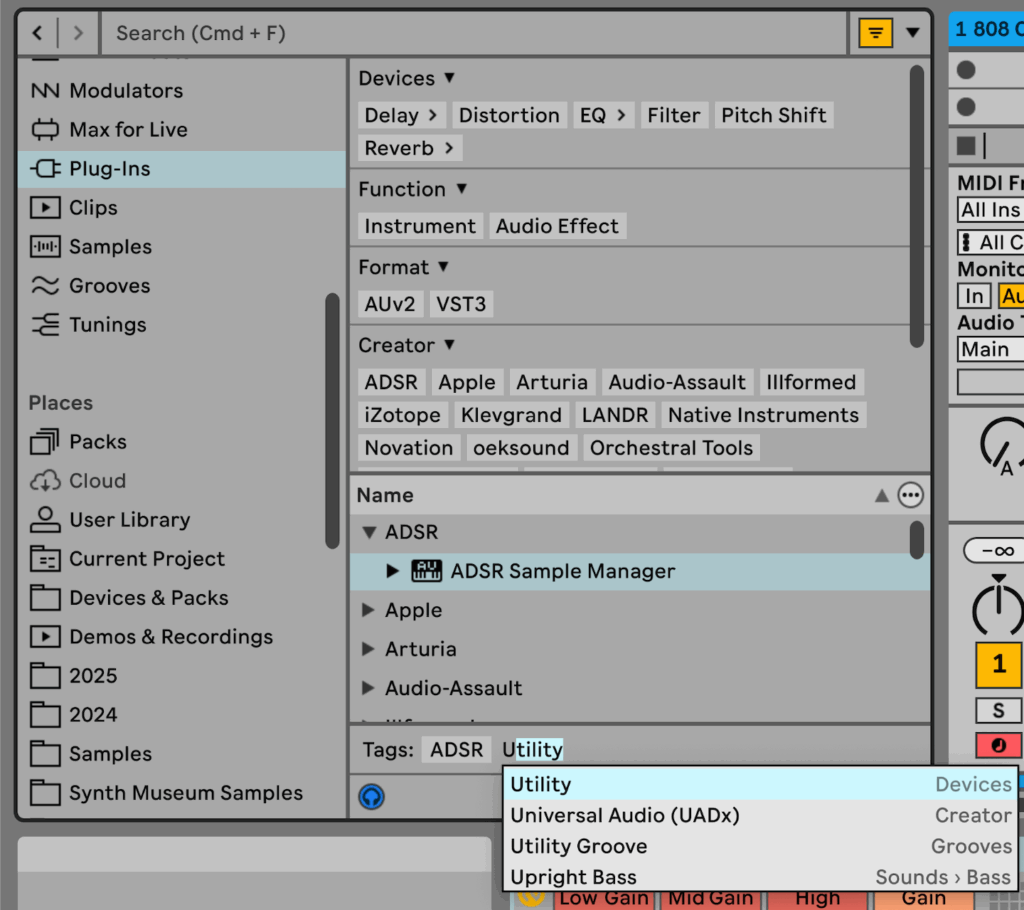
Tagging allows the user to add and edit text-based tags to their musical materials in Live, for an easier, faster, customizable browsing experience.
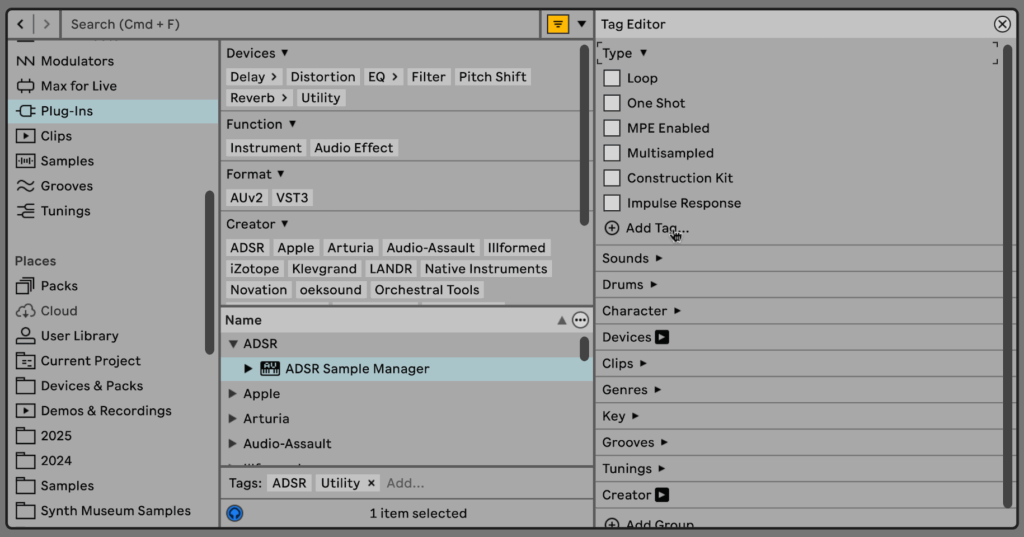
Filtering
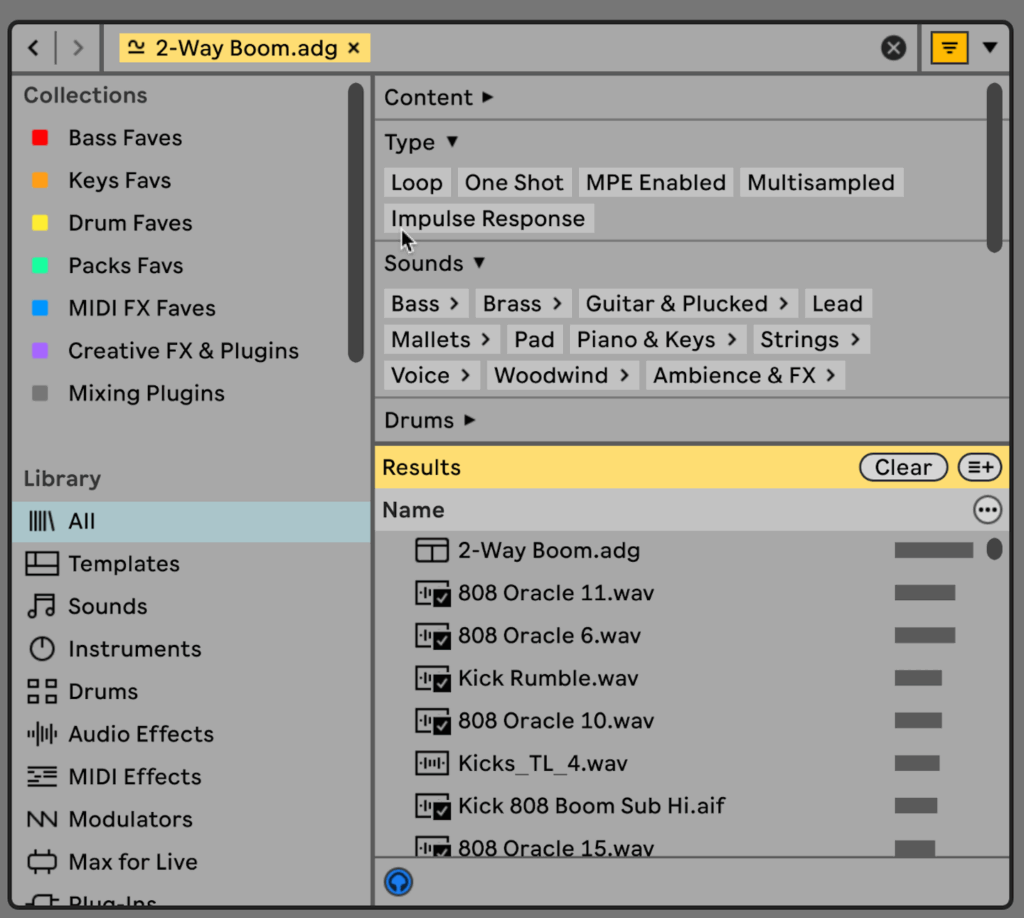
The user can use tags to filter their material, grouping similar materials and allowing for new associations between materials to emerge.

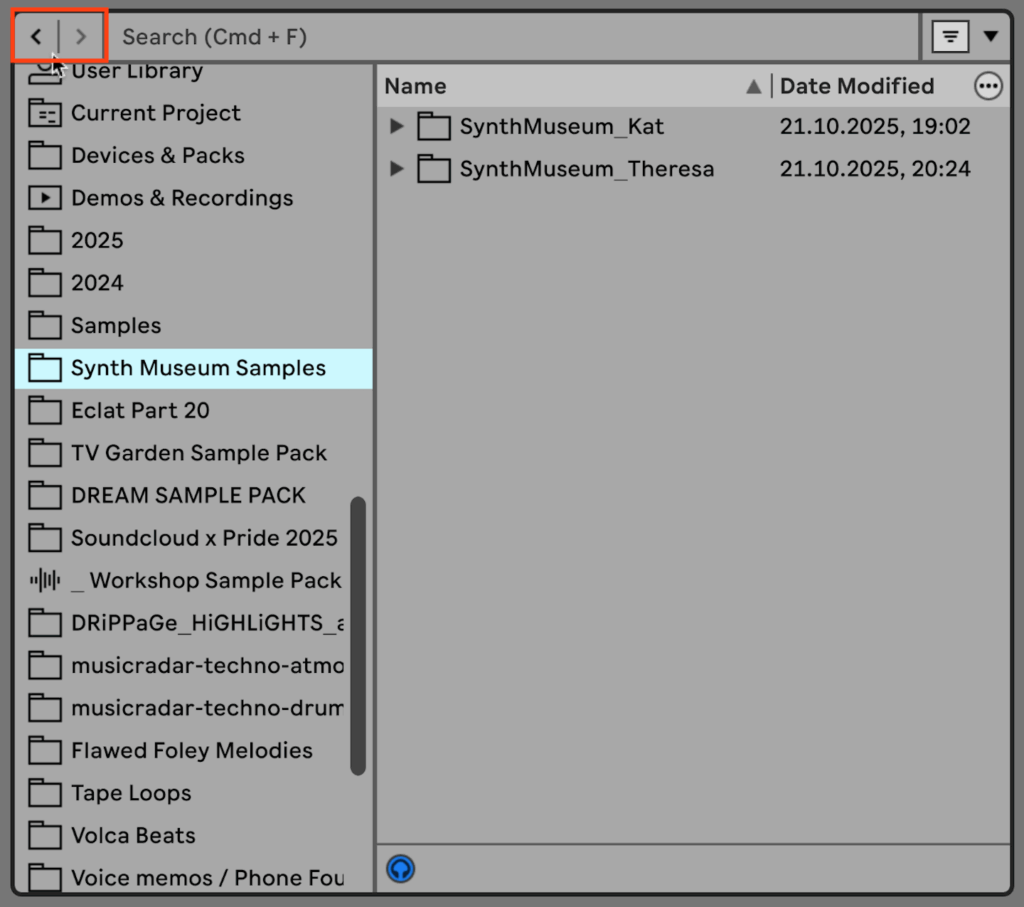
Browser and Search History
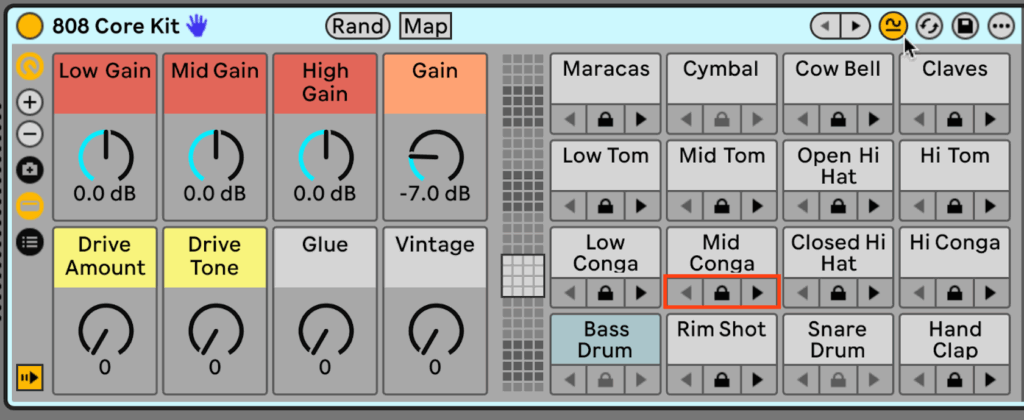
The user can use the arrows (outlined in red) to navigate through their session browser history, including search and filtering results.
Sound Similarity Search
The sound similarity search feature allows the user to find sounds similar to the one they’re currently using with one click, across multiple locations in Live.