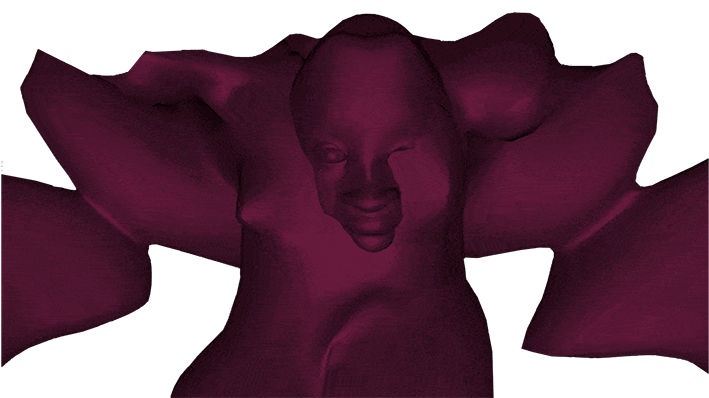
A software tool for artists to explore sculptural and expressive use of the 3D digital human form.
As a practical component of my PhD research at Goldsmiths, University of London,I developed, designed, researched, and tested the CreatorCustom software prototype, which I built on the framework of an existing open source project. The process involved UX/UI research and design, coding, and hands-on user research and testing in workshop settings. CreatorCustom uses simple and intuitive direct manipulation techniques paired with hotspot control of modifications to the 3D figure form to create a mid-level, exploratory 3D modeling tool for artists. The figures the artist sees and interacts with when using CreatorCustom are randomized across all hotspots each time the artist resets the form, allowing the artist to explore ideas they may not have otherwise considered.
Background
In 2015, I began experimenting with using 3D modeled human figures in my artwork. Since general 3D modeling tools have a relatively high learning curve, I used standalone software for modeling pre-rigged, highly detailed 3D human figures to create these elements. However, I found that these systems prevented me from creating a broad range of human forms. Designing for greater flexibility and possibility in software for modeling 3D human forms became the subject of my PhD research at Goldsmiths, starting in 2016.
Review of Existing Software

In order to inform a redesigned software prototype for modeling 3D human figures through understanding current interaction design paradigms and capabilities, I conducted a review of existing commercial and open source software for creative modeling of human figures and video game character creation systems, finding, among other things, that:
- Easy-to-use 3D modeling software uses sliders, and, less commonly, other GUI elements (such as dials, numerical input fields, or catalogue systems of parts), to facilitate interaction.
- Professional-level software uses direct manipulation of the 3D object as a primary interaction design paradigm, though other modes of interaction may be available.
- The ubiquitous use of sliders in easy-to-use software systems restrict the user’s outcome by design, since sliders are range-limited.
- Even within systems which use other methods of interaction, the modifiers available produce stereotypical results, and tend to omit or limit digital creation of stigmatized aspects of human physicality.
Initial Aims
- To design a software prototype which fills the gap between restrictive,easy-to-use tools, and open-ended general 3D modeling tools with high learning curves.
- To broaden the range of figures that can be modeled using such a system, facilitating increased creative expression for artist users.
Interviews with Artists
To understand how a redesigned software system might better support artist users during their processes, I conducted interviews with working artists across artistic media. I asked questions about their practices, choice of and interaction with materials, and their overall creative process, and observed them working with and describing their actions back to me in real time. Based on these interview sessions, I found:



All interviewees described choosing certain materials or practices during their process specifically because those materials or practices produce irregular or surprising results, even if their process is otherwise technically precise or goal-oriented.
Design Guidelines
The prototyped software tool should:
- Emphasize user action and interaction in its UI design, rather than categorizing the 3D body
- Allow open exploration of the human form, without arbitrary restriction
- Facilitate interaction based on the unique materiality of digital 3D modeling
- Reflect the range of roles 3D human figures take in creative work, as characters, sites of digital embodiment, and representational art objects, sometimes in combination
Paper Prototyping
I created initial prototypes on tracing paper, in order to test early ideas for various interaction design elements:


High-Fidelity Prototyping
I created a high-fidelity prototype, named CreatorCustom, using the codebase of the MakeHuman open source software tool to produce a working version of my design:
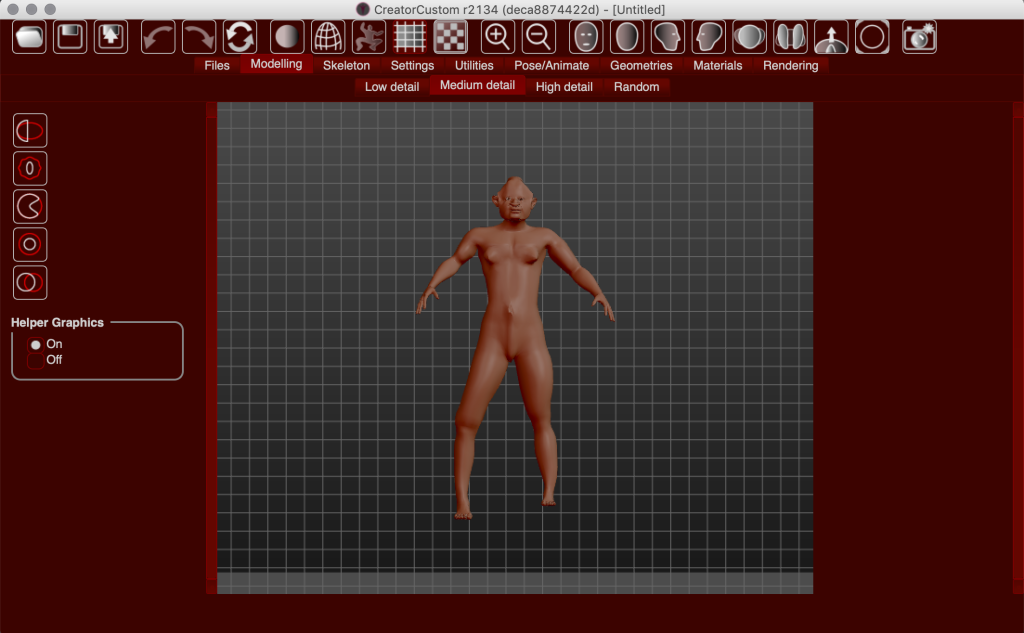
The interaction of the prototyped software tool was designed around a concept of active areas (represented in red below), which the user is able to manipulate directly by dragging on the figure body itself.
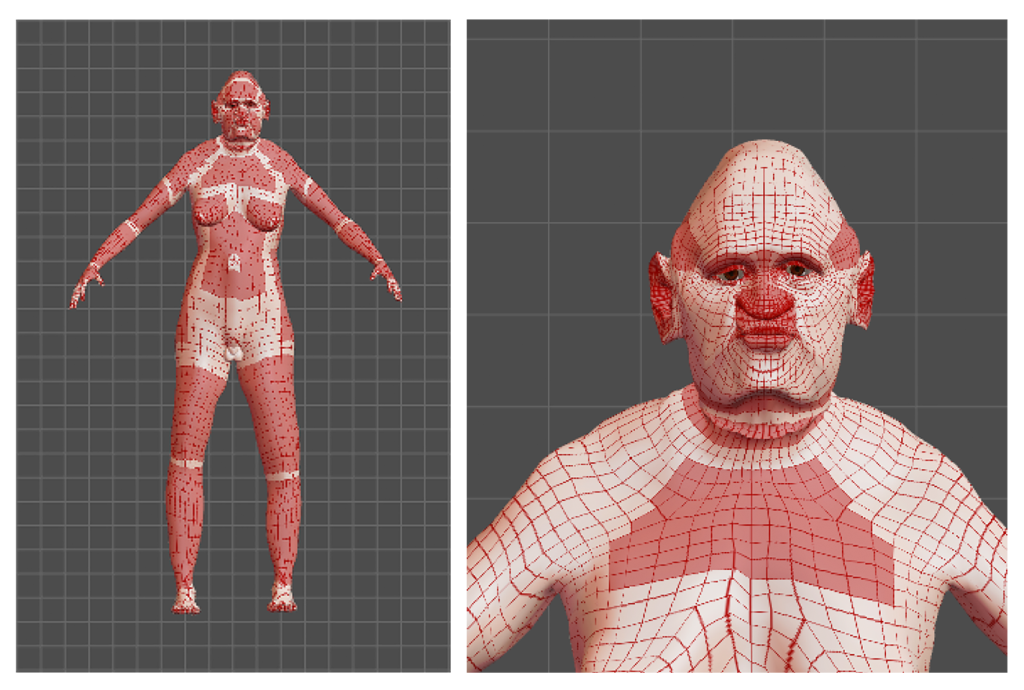
The active areas (above, red) can be manipulated using five different tools (buttons below), the labels of which are taken from language used by the participants in the artist interviews to describe their actions when interacting with their creative work.
The appearance of the toolbar buttons (below) was designed to reflect the 3D modeled figure’s hollowness, a characteristic of mesh-based digital objects that is experientially relevant for the user but often overlooked.

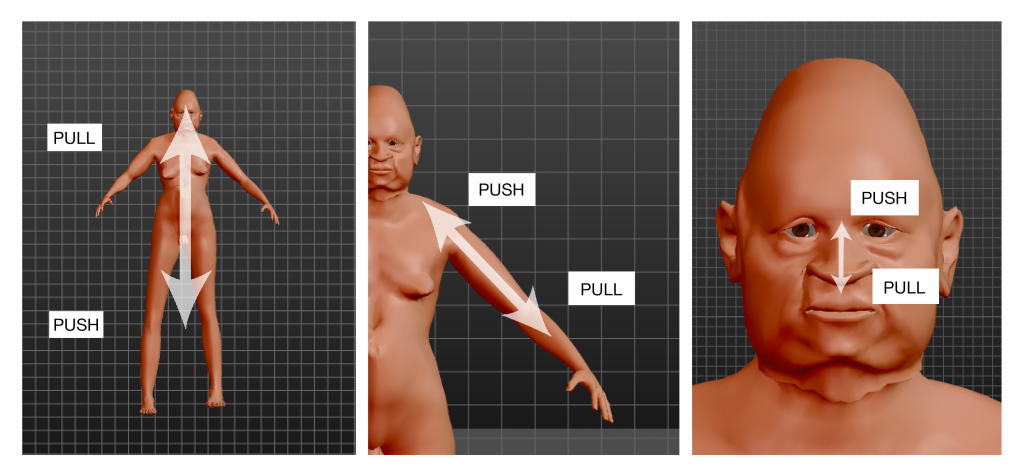
Each tool button (above) represents a spectrum of action in relationship to the figure body, in which, for example, ‘pull’ represents lengthening elements of the body by moving away from it, while ‘push’ represents a compression of the body by moving inward, presented below at low, medium, and high levels of detail (below, left to right).
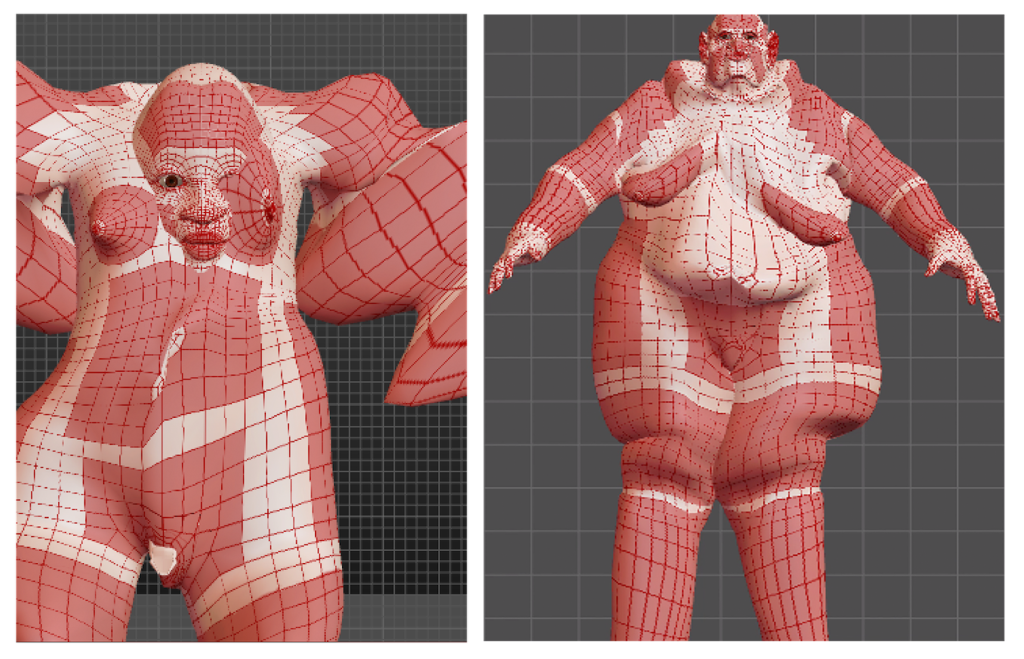
Each active area can be manipulated in an unlimited way, allowing the user to experiment with creating inverted and exaggerated shapes (examples below) which digital 3D modeling’s mesh structure isuniquely able to facilitate.

In light of the role of 3D modeled figures as potential sites of digital embodiment, a button was added to realign the camera view within the software tool to the figure’s point of view, looking down the middle of the figure body (left).
The reset button, which returned the user to the default ‘neutral’ figure in other systems, was redesigned to randomize the appearance of all available active areas for all tools and detail levels, presenting the user with a different starting point on each press (examples below).

User Testing
I conducted user testing of the high fidelity prototype of CreatorCustom with a group of 13 participant artists with a variety of creative backgrounds and experience levels with digital 3D modeling tools. The tests were conducted as a series of small workshop sessions, in which participants used to prototyped tool to create two successive figures, followed by an interview with each group. Based on participant responses,
- the level of serendipity and suggestion provided by the tool during modeling worked well for some users, but was frustrating to others, indicating potential opportunities for greater fine-tuning of the system’s interaction and function.
- several of the verbs used as tool button descriptions were very clear to participants, but others, particularly ‘carve’, proved confusing for some users. In this instance, those users contrasted their experience of subtractive carving in other media with that of using the ‘carve’ tool button, which creates a sharp angle in the ‘hollow’ 3D modeled mesh in the prototype but does not break the surface.
- participant artists with extensive previous experience of 3D modeling tools and systems responded most positively to the interaction with and output of the prototype.
Output

To see further examples of the figures I have created using CreatorCustom, visit the gallery in my artist portfolio.
Further Information
- The prototype is written in Python, and its source code is available on GitHub.
- To see some of the forms I’ve produced using CreatorCustom, visit my 3D Animation gallery.