A full UX/UI redesign of an open source software program for independent journalists, artists and creative producers.
Over an eight month period, I conducted a UX/UI rebrand of Mural, an open source software tool for creating long-form, multimedia-rich web pages with no coding skills necessary. The development team’s priorities were clearer organization and an updated, modern-looking UI, as well as integrating web accessibility and monetization features. I conducted exploratory user research in order to inform our priorities more clearly, and created a series of prototypes to meet the client’s needs.
Background
Between November of 2020 and June of 2021, I was hired to conduct a UX/UI redesign of Mural, an open source desktop software tool for producing long-form, multimedia-rich web pages with no coding skills necessary.
The development team’s priorities were:
- a clearer organization of existing features,
- an updated, modern-looking UI rebrand, and
- integrating web accessibility and monetization features.
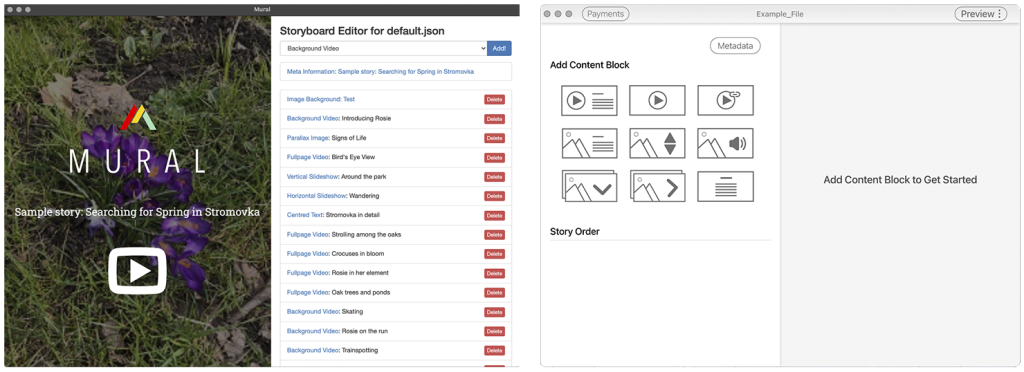
Collecting User Feedback
Since this redesign represented a major investment of time and money for the client, incorporating user needs and perspectives into the design process was a priority for the client and myself. To gather more information about Mural’s user base and the potential impact of various design focuses in a budget-friendly fashion, I reworked an existing user survey on Mural’s website to obtain data about use cases, behaviors when using similar tools, and desired outcomes.
From the responses to this survey, we found that, of current users:
• 68% described preferring to use both GUI and code editors in tandem to create web content,
• 60% intended to create web pages with a priority for desktop viewing, while 40% prioritized mobile performance,
• 85% described making their content more accessible (using elements like alt text, captions, audio transcripts, etc.) when using platforms which provide options to include this material, and
• 40% of users surveyed had received payments for web content in the past, but up to 70% described an interest in monetizing their web content in the future.
Prioritizing Features and Updates
Based on this feedback and the team’s priorities, I focused on redesigning the following features and aspects of Mural software:
- modernizing the look, feel, and organization of the software,
- expanding the user-facing code editing capabilities of the tool,
- updating the existing Preview feature to better match users’ expectations,
- adding fields for commonly-used accessibility features like alt text and transcripts for audio and video media, and
- designing a beginner-friendly, easy to use manager for payments and content monetization.
Designs
Look, Feel and Organization
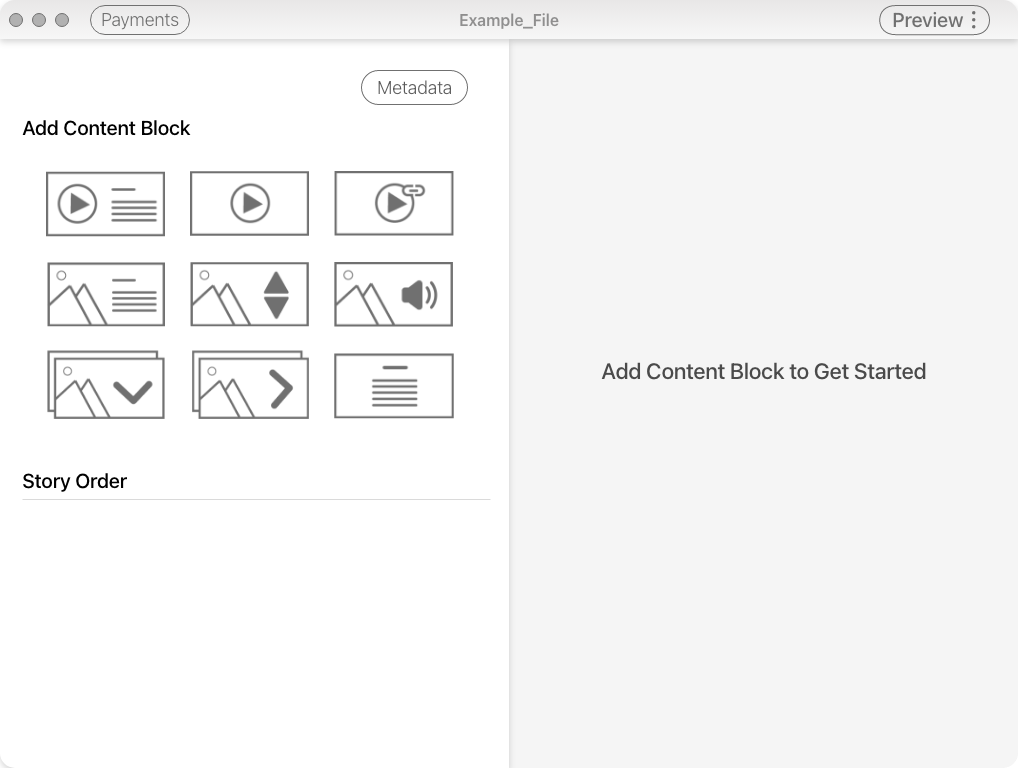
I started by modernizing Mural’s UI, in line with comparable tools for creating web content. To clarify the options available in the UI and make them more approachable to the user, I broke the options for the nine available content block styles down using icons, replacing a text-based dropdown.
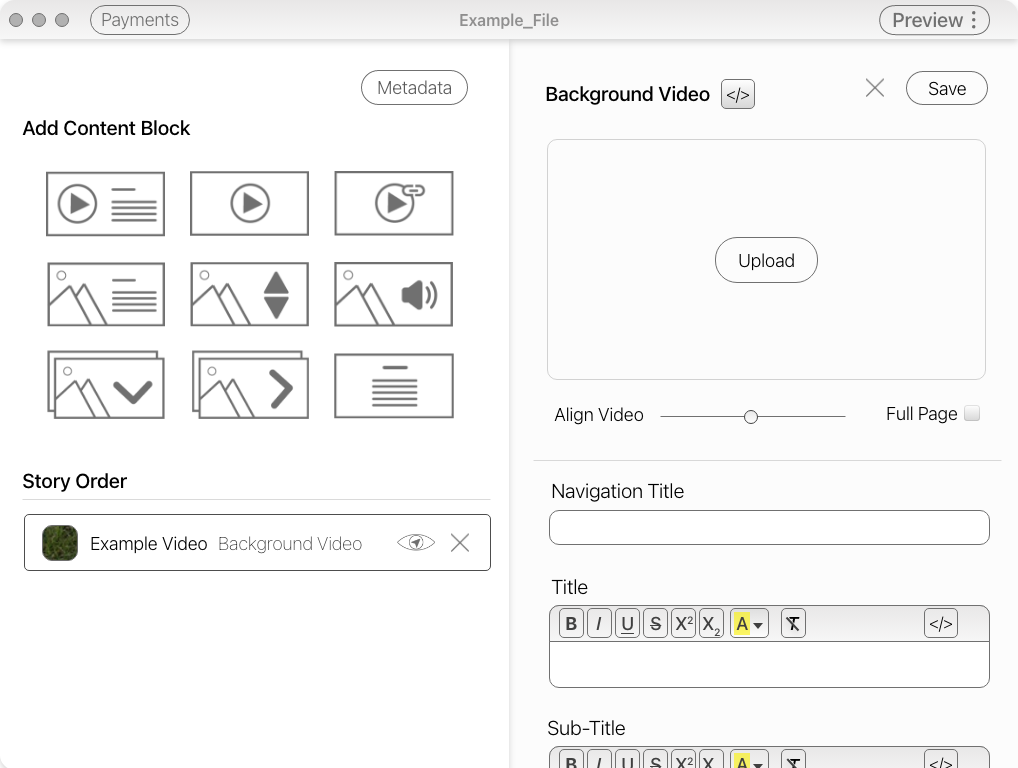
I also split the control panel and the editing panel, which keeps all relevant features immediately visible to the user. On the left side of the screen, the control panel, including metadata, content block options, and the overall story structure are accessible, while the right side is devoted to the editing panel, where the user can edit the content of each individual block.
Code Editing Capabilities
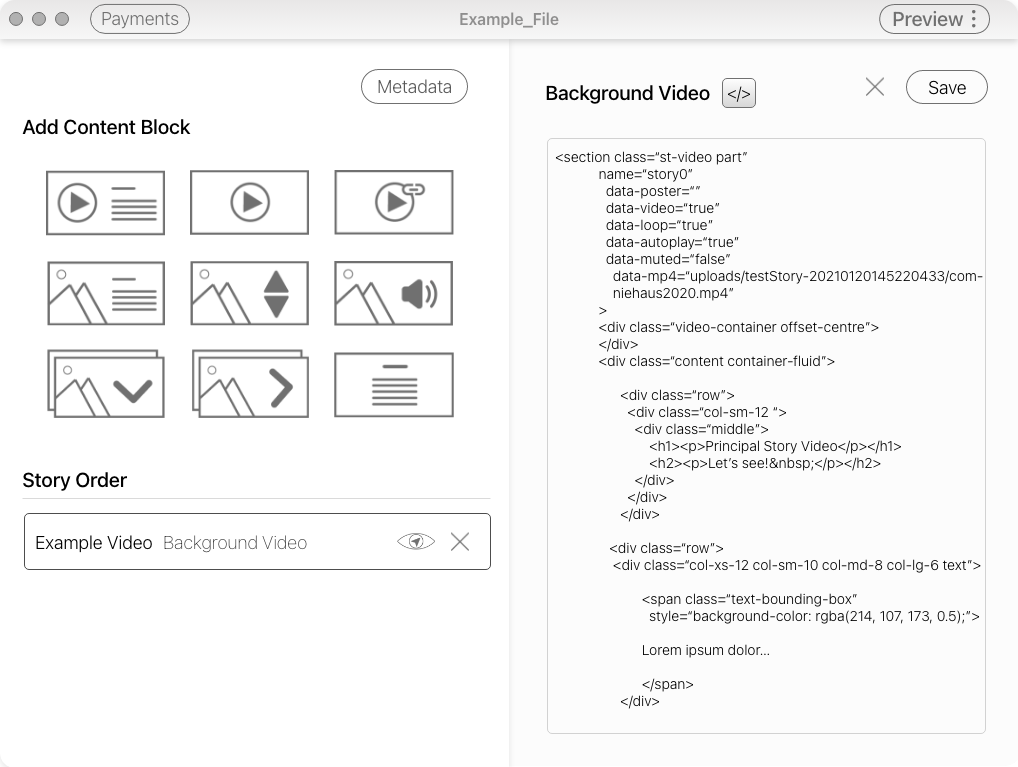
Mural previously included a code editor, but only for text content. Since the user survey found that a large percentage of existing users prefer to toggle between using a GUI and a code editor when creating web-based content on other platforms, I included an expanded code editor which allows users to access and edit the source code of each individual content block in full.
The Preview Feature
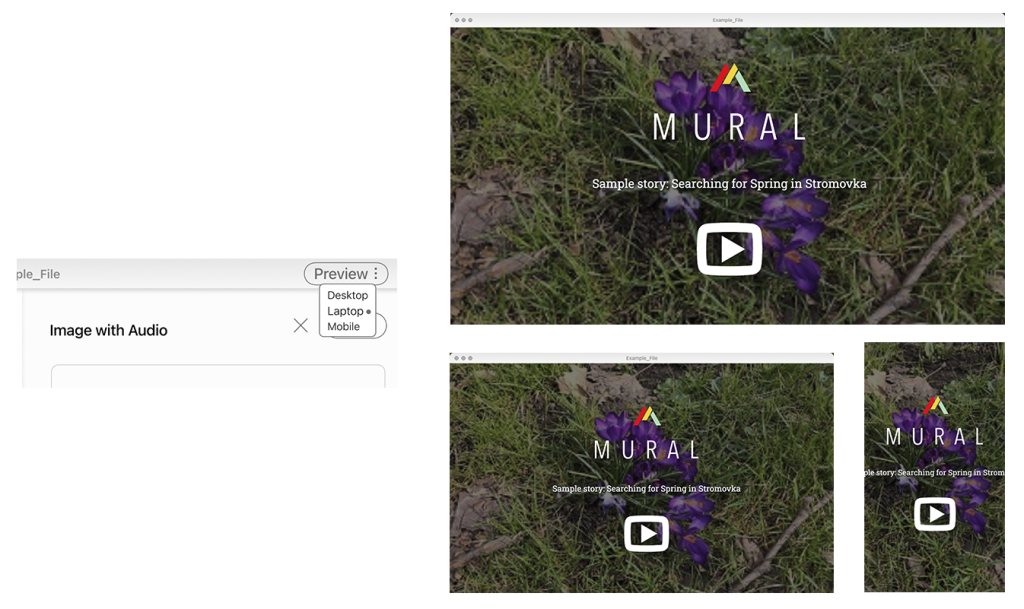
Users complained that the preview feature in the software’s editor window tended to compress and distort the content to fit its dimensions, which did not provide an accurate preview of how the page would appear.
In the redesign, the user can specify whether they want desktop, laptop, or mobile preview of their story, and the preview window opens separately with the correct aspect ratio. This allows the user to get an accurate sense of what their story will look like on different devices.
Accessibility Features
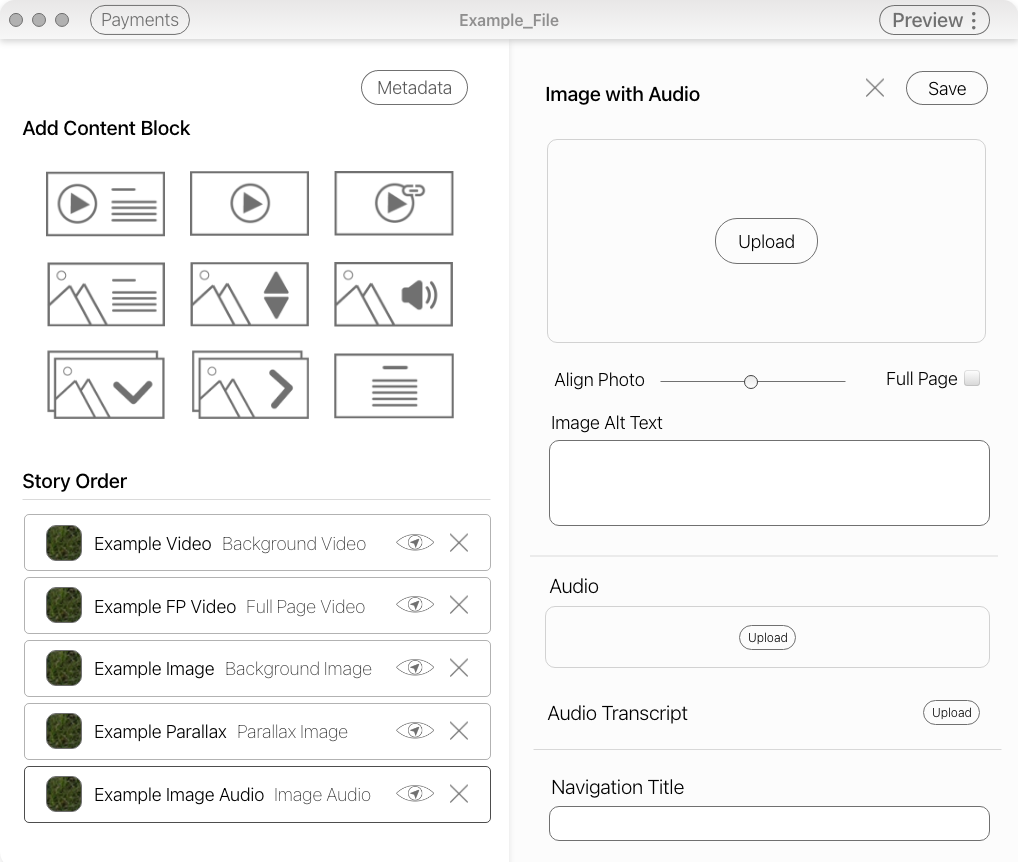
I added fields for accessibility features, including alt text, description, and audio transcript fields. By including these features prominently in the editing panel, these features will not only be useful to users who already use them in other contexts, but will also encourage users who are not yet familiar with including alt text or transcripts to use these features going forward.
Payments and Content Monetization Manager
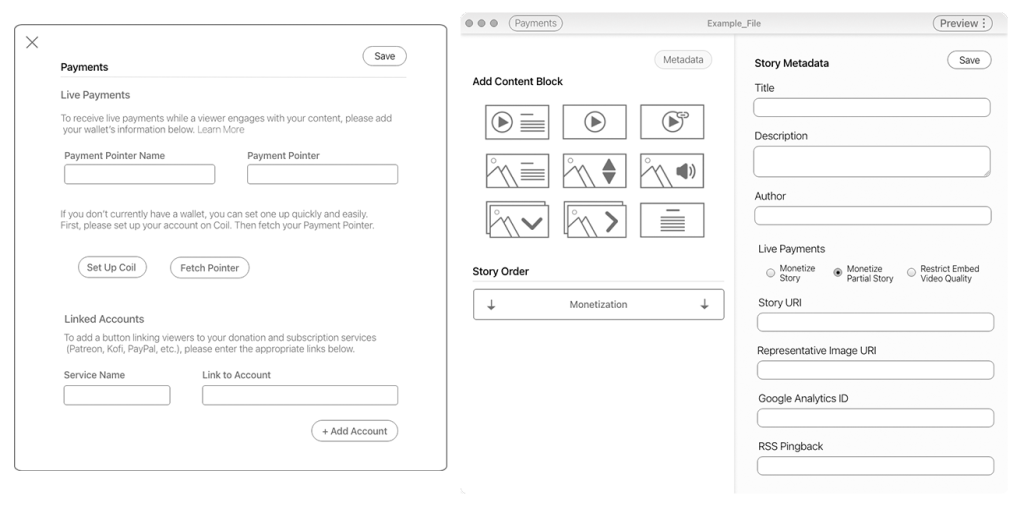
I created a manager for payments and monetization accounts,both from live payments, where the amount is based on how long the user remains on the page, and donations to the user from a variety of common platforms, from Patreon to PayPal and others.
Given interest by novice users in monetizing content in the future, these options are presented in the a low-threshold, explanatory format. A variety of messages in the UI guide the user through their monetization options, such as choosing how much of an individual story’s content they want to monetize, by moving the monetization divider within the story’s content block structure (right).